

A1
Parametric + direct
A feature timeline when you want history, push-pull direct editing when you don't. Fully deterministic: the same edit always gives the same result.
A hybrid solid modeler with a timeline, direct editing, drawings and full 3-axis CAM, all in one fast, local app.
A feature timeline when you want history, push-pull direct editing when you don't. Fully deterministic: the same edit always gives the same result.
Lines, arcs and splines anywhere in space with real constraints. Tube frames, wire runs, anything that doesn't live on a plane.
Edges, faces and points keep their identity through edits. Delete or insert a feature mid-timeline and the rest follows along.
Components, bodies and joints in a single document. No separate assembly app, no file juggling.
Modeled threads that cut and simulate properly. Search McMaster-Carr and drop parts straight into the model.
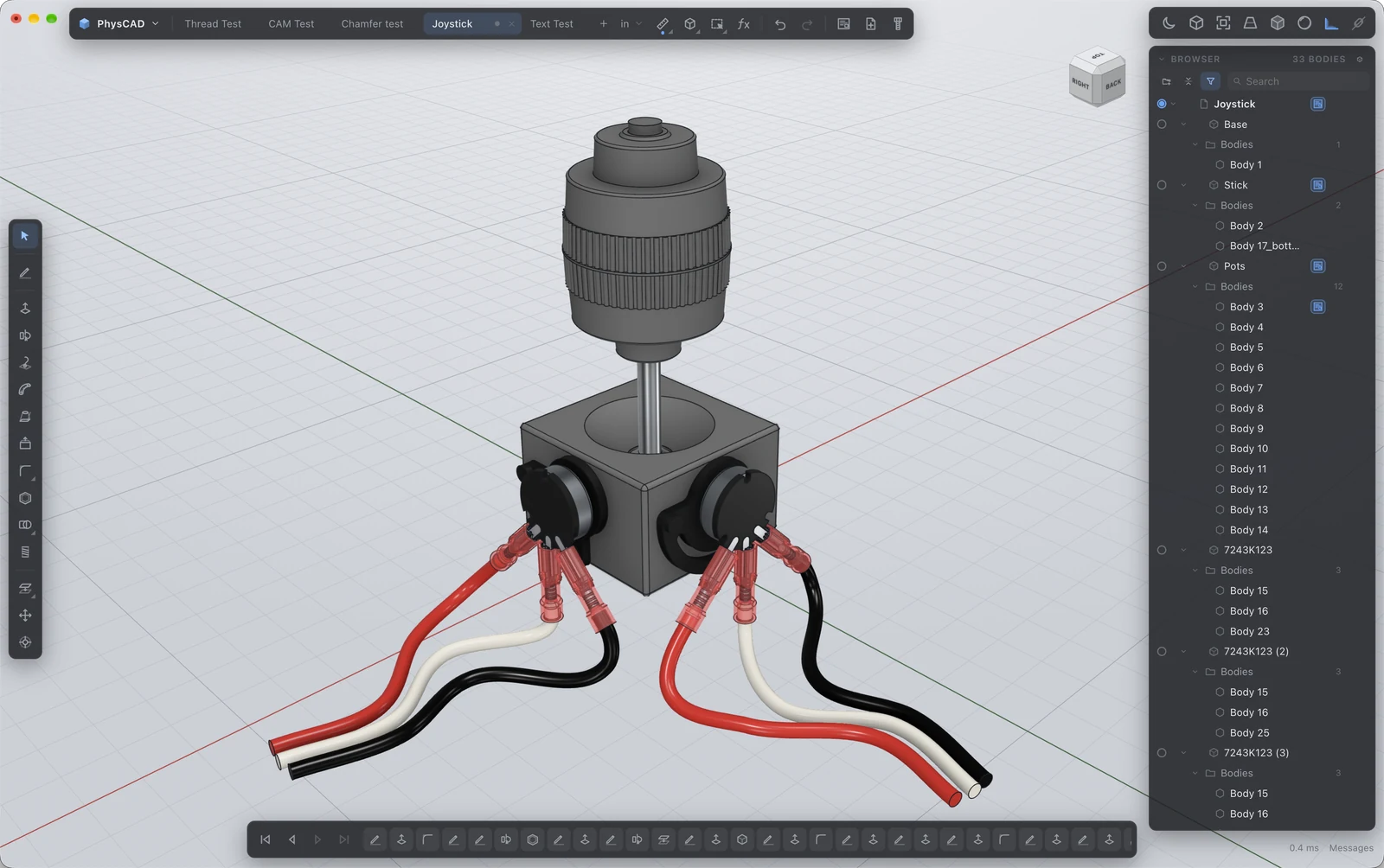
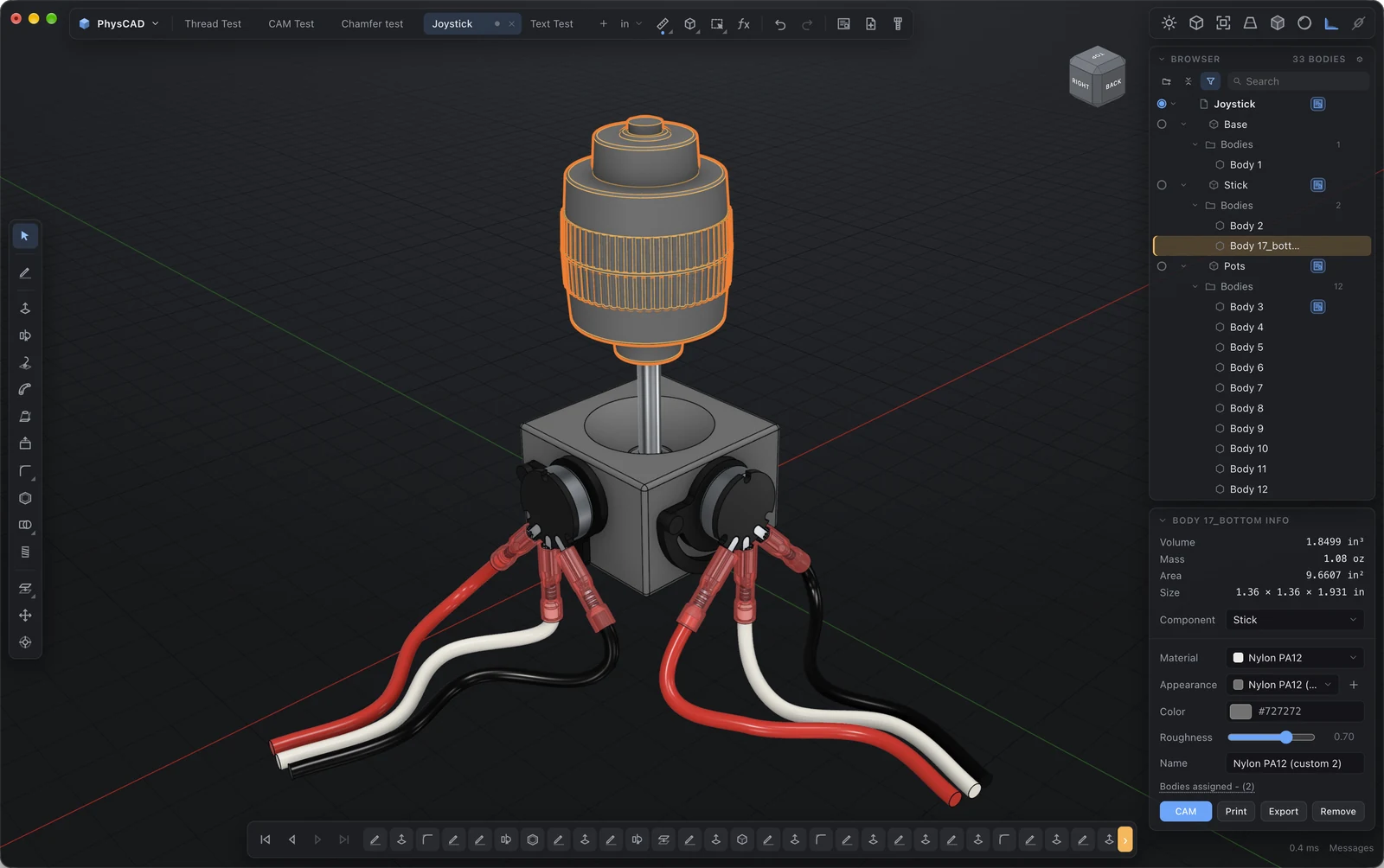
Assign a material and get mass, volume and a realistic render. Dark and light themes.
Maximum modeling space, a browser that shows exactly what's in the file, and body info a click away.
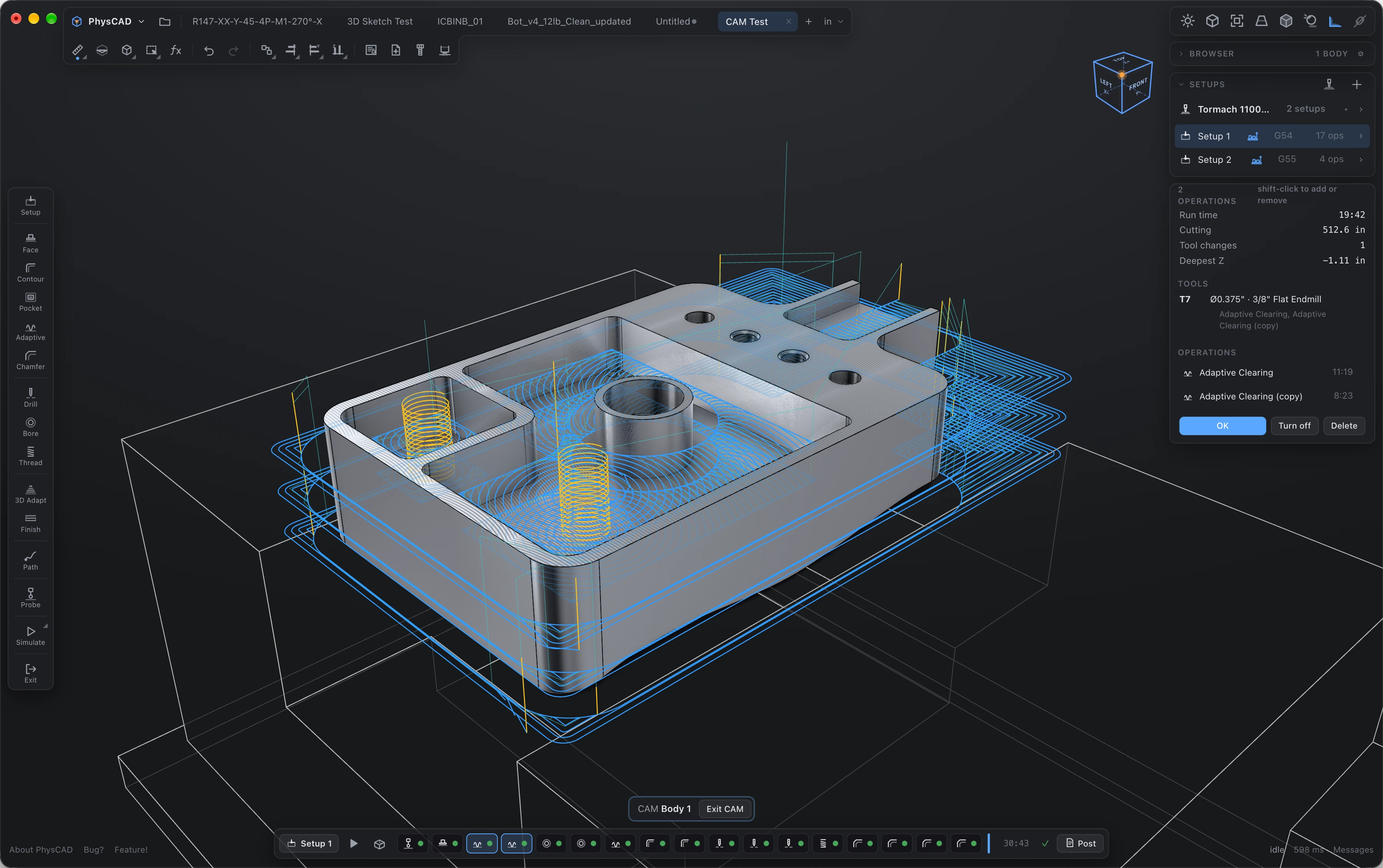
Select a body: PhysCAD creates box or cylinder stock with offsets, places the WCS and seats it in the vise. Multiple setups per part.
// G54 · G55 · …Probe stock, face, adaptive clearing, 2D contour and pocket, 3D scallop, drilling, chamfer and thread milling.
// tool library with holdersCut real stock with tool, holder and vise in the scene. Gouge, rapid, flute-length and collision checks on every op.
// accuracy coloring to 0.001"Spindle range, max feed, rapids and travel per machine. Feeds are clamped; a setup that won't fit won't post.
Tormach (PathPilot), Haas, LinuxCNC, GRBL and generic Fanuc. Posts are plain text; edit or write your own.
Every op and setup shows its estimated time as you build it. Know before you post.
Pick a material, drag a speed slider, and PhysCAD keeps every number inside what your mill can actually do.
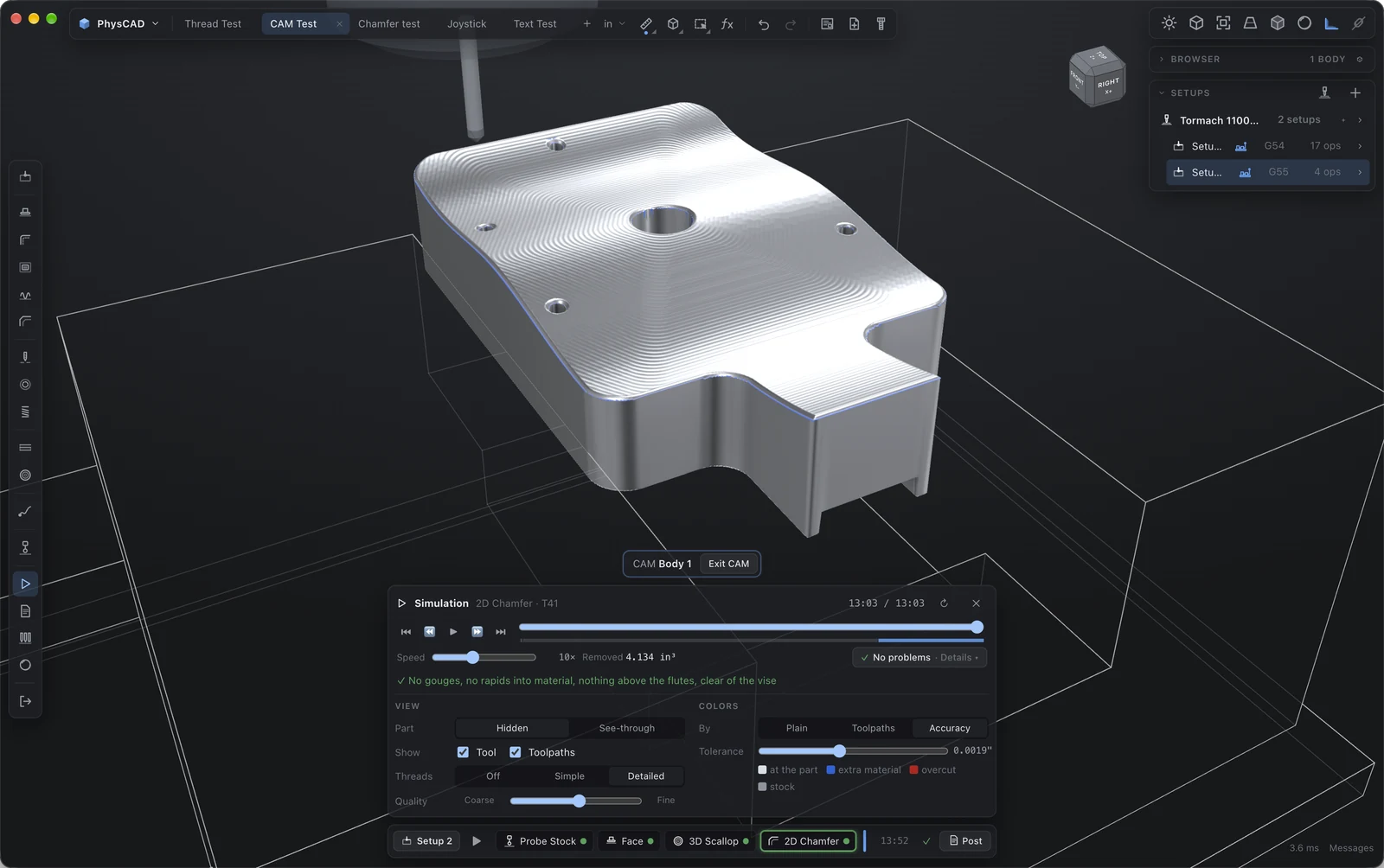
"No gouges, no rapids into material, nothing above the flutes, clear of the vise." Or exactly which op and where if not.
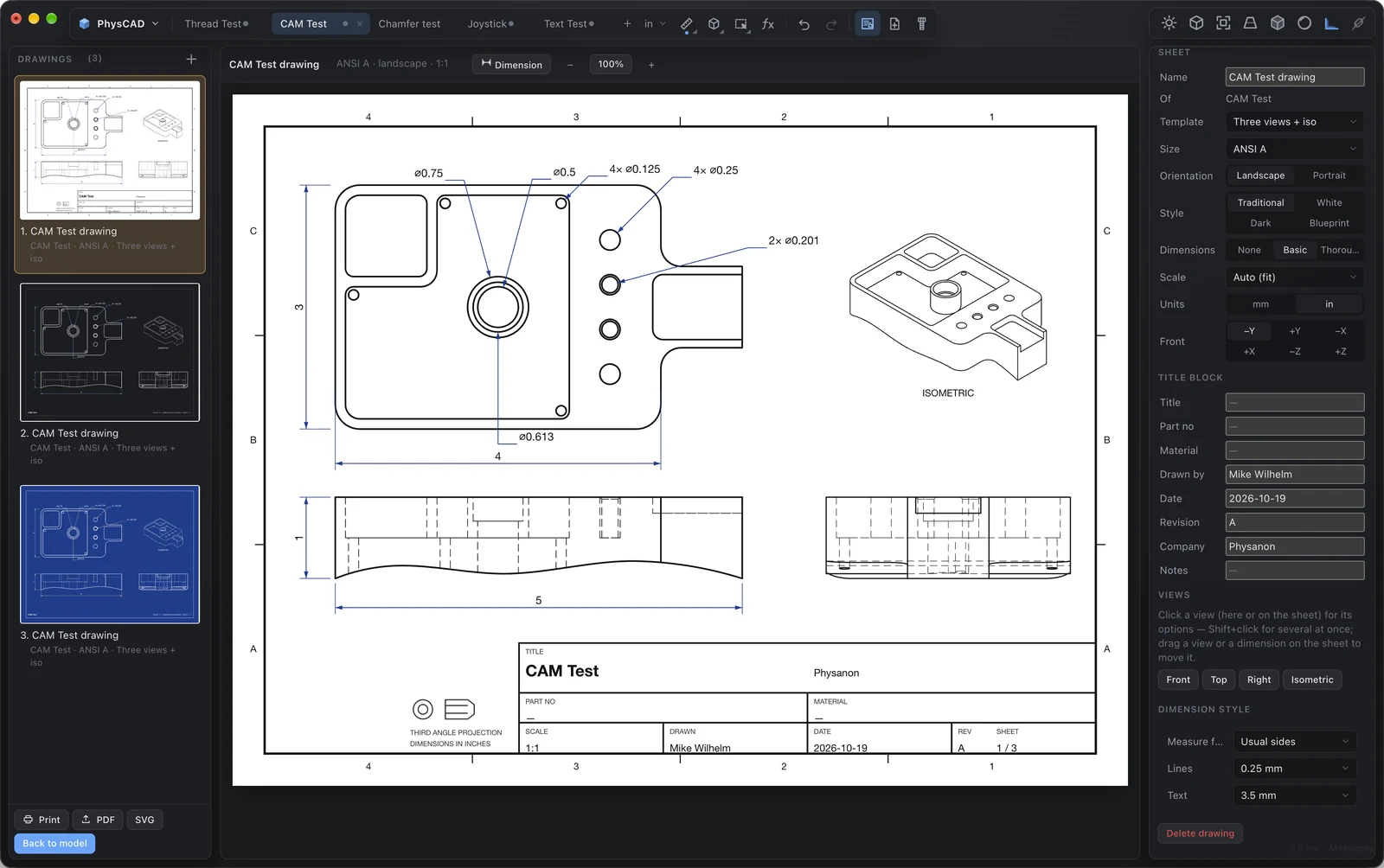
Front, top, right and isometric views with hidden lines, hole callouts, overall dimensions and a title block. ANSI and ISO sheets; traditional, white, dark or blueprint styles; mm or inches.
No cloud collaboration, generative design or FEA (yet). No app store. No account. A fast, honest CAD/CAM tool you own outright.
64-bit Windows 10+, macOS 12+ (Apple Silicon or Intel), or a recent Linux with glibc 2.31+. 4 GB RAM, any GPU from the last decade, ~400 MB disk.